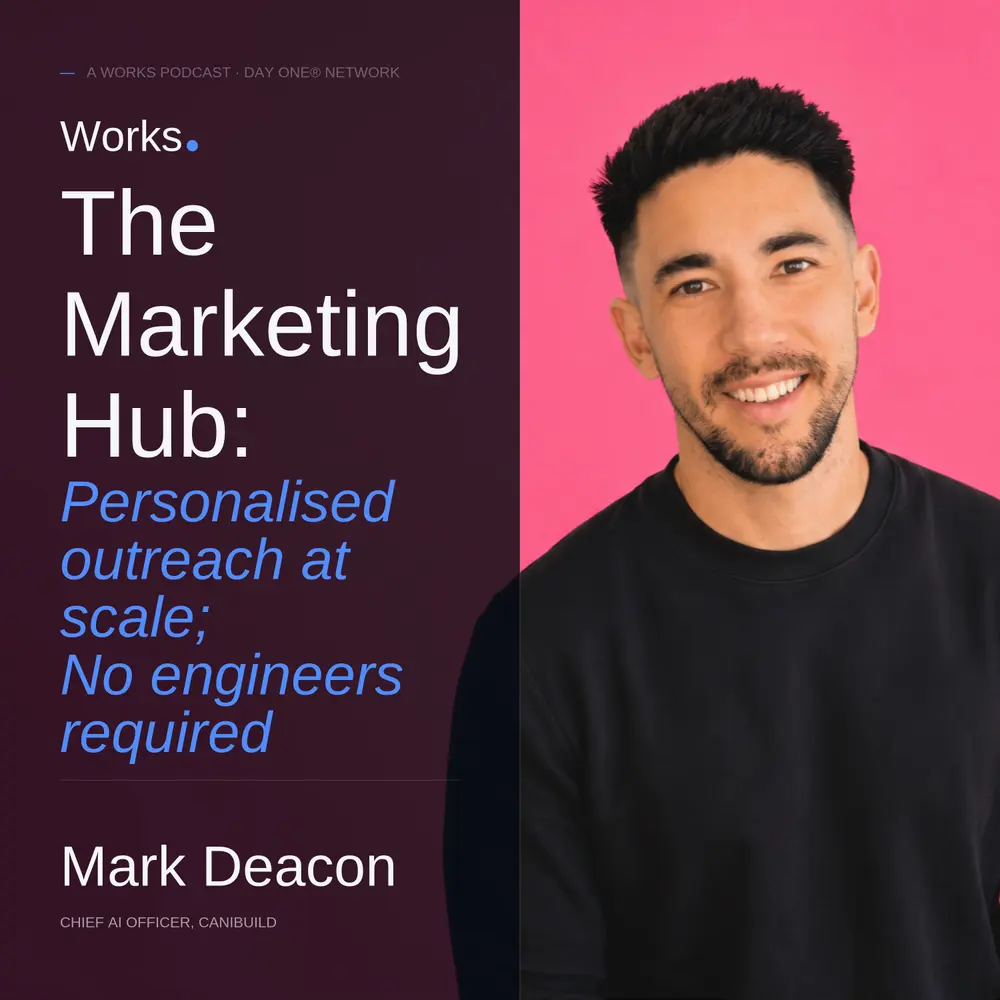
Canibuild's sales team used to record personalised prospect videos by hand. Each one took 15 to 20 minutes, so reps did them in bursts, when they had spare time. Mark Deacon replaced that routine with a system that scripts, produces and tracks the videos, and he opens his screen to show every step.
Mark is Chief AI Officer at Canibuild. He has spent his career leading sales, marketing and customer success teams, and he does not write code. He built the Marketing Hub, an internal platform where Canibuild's teams serve themselves instead of queuing for engineering.
A rep enters a prospect's website, or imports a list from a CSV or HubSpot segment. The system writes a script and produces a video of about a minute with an AI avatar of the real rep, a personalised landing page and a call to action. Mark reports roughly comparable conversion to manually recorded videos, but much greater potential scale, at about $4 per video.
Video watches trigger Slack alerts and HubSpot tasks; demo bookings create deals. Mark also demonstrates a newsletter builder fed by the engineering roadmap, and explains his terminal-first, interface-second approach to building internal tools with shared guardrails.
About Mark Deacon Mark Deacon is Chief AI Officer at Canibuild. His background spans sales, marketing, customer success and go-to-market strategy.
About the show Operator AI is the show where real operators open their screens and show exactly how they run the real parts of their business with AI. Hosted by Zachary King and part of Day One Network.
Chapters
0:00 Cold open and intro 1:50 Why manual Loom videos did not scale 4:20 Terminal first, then a self-serve interface 5:18 From prospect website to scripted video 7:06 AI avatars, cloned voices and landing pages 12:15 Conversion parity, volume and cost per video 14:35 Watches become Slack alerts, HubSpot tasks and deals 17:43 Build versus buy: the AI SDR and enrichment 20:10 A revenue leader building without engineers 22:45 Newsletter builder fed by the product roadmap 27:22 Guardrails so everyone can build 32:22 Chief AI Officer: enablement, not a new bottleneck 38:58 Rapid fire 43:35 How to start, and the 20/60/20 rule Transcript Search or select a timestamp to jump ▾ 0:00 Speaker A: It's not actually hard to build these things. I've even got like my 9-year-old daughter playing around with it. The power is actually in the domain expertise. Conversion rate-wise, it's pretty much on parity with them doing it manually. 0:13 Speaker B: Dude, that's wild. And so you're just, you're just building this out in a really modular fashion. You're building this agentic revenue engine. I think you described that the other day. 0:21 Speaker A: Anyone now in our company can go and build custom dashboards, custom apps, but it's like, how do they build it in a way that ensures that, you know, governance, compliance, security is all in mind. 0:34 Speaker B: Tell me about the team structure that you've got. You kind of build out that, that agentic infrastructure that sits behind it. Operator AI is proudly part of the Day One Podcast Network with more great shows at dayone.fm. Okay, welcome to Operator AI, the show where real operators open up their screens and show me how they actually work with AI. I'm Zachary King and I run Worx. Every fortnight, somebody doing real work walks me through the real stack, not the hype, the receipts. Let's get to work. Today, super excited to be joined by Mark Deakin, Chief AI and Revenue Operations Officer at CannonBuild. And Mark's been building an insane AI revenue engine from finding and enriching prospects through to personalized outreach videos wired directly into the CRM HubSpot. Today, he's going to open up his screen and show us how it actually works, where people will still step in, where it gets messy. Mark, welcome to Operator AI, mate. 1:30 Speaker A: Thanks for having me on, Zac. Good to be here. 1:32 Speaker B: Mate, pumped. Prior to this show, obviously I got a little bit of a peek. You were kind enough to share what you're doing. So I'm really excited today to share this with the rest of the world. Mate, would love to start off with the personalized outreach videos you built as the kind of, I guess, the tip of the spear of the outreach that you're doing here. If you're happy to drive straight into that and share your screen and walk us through what's going on. I'd love to take a look. 1:56 Speaker A: Yeah, absolutely. And just a bit of context, you know, our sales team, you know, we try and encourage them to send personalized videos to prospects. We find that they convert a lot better than just something generic. And so in the past, prior to AI and building out these tools, you know, we used to just have like our sales agents have to, you know, do recordings, you know, do a bit of research on the prospect, go on their website, record, do a Loom video. jump into our app and then they'll DM. The issue we found is that it would take them, you know, per one, you know, you're talking 15, 20 minutes. Then there's a bit of fighting around too. 2:32 Speaker B: Like, I've done these, man. Like, that's, that's when you get really humming. You can do it in that, but it's fiddly and you're jumping between platforms. It's hard. 2:39 Speaker A: Exactly. And it's one of those things that they do when they've got time. So that was the other part of it. It's like, okay, well, they might take 20, 20 minutes or so to do, but then it's the thing that they put off to last. And so it's only when they can find gaps, so it's not consistent. And so with the beauty of AI, we're like, hey, how do we actually go and automate this at scale? And so that's when we've gone and built an outreach automated, I guess, personalized outreach video tool. So I'll jump in, I'll share my screen. 3:07 Speaker B: And just, mate, while you're putting that up, give us the top level view of who your ICP is. So who are you kind of sending out to? 3:16 Speaker A: Yeah. So our ICP, we go after builders. So typically residential builders, pool builders, shed builders, I guess typically non-tech savvy ICP. 3:26 Speaker B: And did you find that video rocks for that segment of the market? My guess is that yes, it would perform really well compared to LinkedIn messages, which is again, probably not going to hit 3:41 Speaker A: Yeah, correct. Yeah. So we like builders, and I don't want to generalize here, but like they more visual than, you know, they're not necessarily people that would be reading through books. And so we find, you know, things that are like more visual works better than just text-based. And so those persons— 3:57 Speaker B: They're working with atoms, not bits. 3:58 Speaker A: Yeah, yeah, exactly. Yeah. So, and so yeah, we're trying to kind of find the best of both worlds where you can get the impact of video but be able to do it at scale. 4:07 Speaker B: That's the dream. 4:08 Speaker A: Yeah. And so when we first actually built out this tool, originally it was just managed by myself within VS Code. And then we started to go, okay, how do we allow our sales team to just self-serve as well? 4:20 Speaker B: And did you— so when you say that, did you— you were running the tool and you were just kind of— you were testing this yourself or you were running the tool in VS Code? And then how did that work in the early stages? 4:31 Speaker A: Yeah. So we basically built out the workflow. Um, so we have to build out the full Legentic workflow, and then, you know, the salesperson would say, hey, I want to create a video for this prospect, or here's a list of prospects I wanted to create for, go and build it. So then I became the roadblock because then they'll be waiting on me to then go and process it. And so then we then took it one step further and created this user interface, which is now building out to be a full, like, marketing hub with heaps of tools so that now they can self-serve when they want sales decks, flyers. They use it for ad creation, company newsletters. So good. And so it's— 5:09 Speaker B: And this is a tool that you've built completely internally? 5:11 Speaker A: Yeah. Yep. Yeah. Yeah. As a non, non, non-techie. 5:16 Speaker B: We're all technical now. 5:19 Speaker A: That's it. That's it. 5:20 Speaker B: Yeah. 5:21 Speaker A: Yeah. So this is, this is it. So basically a someone in our sales team can either come in here and either do a one-off video so they can put the website in here. So the prospect's website, the prospect's name, their company, and any of these details if they've got it available. And it will go and scrape their website for any information that it can find. You can either go and publish without reviewing the script if you're confident that you're happy for it to go. Yeah. You can opt for it to automatically send email and send via LinkedIn message as well. It also gives them the ability to import a list. So rather than do one at a time, we can come in here and click import a list either from a CSV or we can pick from HubSpot, which basically just pulls all this, all of our HubSpot segments from here, um, that they can do as well. So if I go back, and so once they've done that request video, it basically runs through an Agentic flow. And so I click across the videos Um, and then if I just click on one of the ones with the back— 6:25 Speaker B: So these are all the videos that you've created, like in your— this is your kind of instance, your login? 6:29 Speaker A: Yeah, yep. So this is just like an example, uh, run that we did. And so it's able to pick up— so we just did it on a batch list and it's got different sales because obviously different prospects are owned by different salespeople. And so it will pick up from that list like which sales rep it is Who's the customer? 6:50 Speaker B: So you've got different— every rep has a segment of the market or a region and it'll determine. Do you have to put that list in there or will it figure it out? 6:59 Speaker A: So we have to— either it's in the spreadsheet, but if we're pulling from a HubSpot list, it will look at who the contact owner is. 7:06 Speaker B: So good. 7:07 Speaker A: And then, so for each salesperson now, we've gone and created an AI avatar. So these little people here, they're our actual That's our sales. They're people from our sales team. So you'll see you've got Jim, though. We've got here. We've got Spencer here. So these are people from our sales team, and we've gone and created AI avatars. And so that's done. We've used ElevenLabs for the voice to clone their voice, and we've used HeyGen to create the AI avatar. And for each person, they basically create basically sent me you know a five minute. Recording. 7:42 Speaker B: I was just going to ask that because when this stuff first came out, I remember playing around that you had to do like to get a real, to get a good version, it was like 4 hours. You needed 4 hours of high quality recording and it just keeps coming down and coming down and coming 7:55 Speaker A: down. Yeah. The first person I did was I used a full one and then for the other reps, I then tried to see how quality will it be without, because obviously that was a roadblock, them sending me all the footage. And I looked at the output, I'm like, that looks like them. 8:10 Speaker B: And particularly if, I don't know if it goes full screen in the video, but if it's just a little icon, like a little Loom style video avatar in the corner, yeah, that's fine. 8:21 Speaker A: Exactly. And it's like their husband or wife probably can pick up little things. They're missing a mole or something, but a prospect, 95% close. 8:32 Speaker B: They're watching a lot of mobile. They're checking it out, man. They're not going to be Checking them out when they finally meet. Love that. 8:38 Speaker A: Exactly. 8:39 Speaker B: And what about for ElevenLabs? Similar or? 8:42 Speaker A: Yeah, similar. So we'll be able to get just a short snippet of audio from them and then it was able to run. And so we created like an avatar. It was probably 30 minutes of time for the sales rep to get the insight and then send it through. And you can also grab it from existing recordings as well. Like if you've got Zoom recordings from their demo meetings, you can take it from there as well. 9:04 Speaker B: Yeah, that's what I did. I, and I was just playing around. I didn't weaponize it to the extent that you have here, but built in ElevenLabs and I did the first one is like, you know, give us a 30-second recording and it sounded like a Mary Zack. It was like a, like I had a half Californian accent. But once I say, okay, I've got plenty of recordings here, have these, it's It's pretty gnarly how good it 9:28 Speaker A: gets. Yeah. And the crazy thing is, is like, this is the worst it's ever going to get. It's just going to get better and better. 9:33 Speaker B: And I love that. 9:35 Speaker A: Yeah, which is scary. And it's probably like similar to like video games. I remember like looking back as a kid at some of the video games that first came out, like when, you know, 007, GoldenEye came out. I'm like, man, these graphics are so real. Like, how is it going to get more realistic than this? Now I look back and I'm like, it's blocks and, you know, it looks pixelated. 9:53 Speaker B: Like Lego movie. 9:54 Speaker A: Yeah. And we're going to look back at the quality now and go, Like, how do we think that was real? Because this is going to get even better. 9:59 Speaker B: Um, yeah, yeah. 10:00 Speaker A: And so this is like the, the example video. Um, one thing that we built as well, if I click open page, is we made it so it automatically creates these landing pages per one. So then this is what gets shared with the prospect, and then it's got a call to action there where they can click that, takes them straight to the booking form to book the demo in. 10:23 Speaker B: So good. And mate, what's, what's the backend of this? Are you using— what are you using to create these pages? 10:32 Speaker A: This is just HTML. 10:33 Speaker B: Cloudflare? Is it like you host it somewhere on Cloudflare or creates an instant page 10:38 Speaker A: or— So these are— so it's built on the same as like our website. So like we're using Astro now. So then that way we can run it through the terminal. So then any changes we make to a website, It can be done the same way. And yeah, so basically what it does in the flow that we've trained it on, it starts off on their website and basically does this little scroll thing and it creates the script automatically. 11:04 Speaker B: That's the client's website. That's the, like, the lead's website. 11:06 Speaker A: Exactly. Because we wanted to— because when this gets emailed to them or LinkedIn message, it embeds the GIF there. And that way, like, when they receive that email, they can see the GIF automatically there as a visual. And we found that conversion rate's a lot higher when they see something familiar. Like if it just had our brand and our company there, 11:25 Speaker B: 100%, 11:25 Speaker A: it looks salesy. 11:26 Speaker B: This guy's selling me something. Yeah. Whereas, hey, that's my— 11:28 Speaker A: yeah, it's like, and they're more curious to go, I wonder what they're doing on my website. Like, what are they going to talk about here? And it looks more personalized from the, from the outset. And so it starts off on their website, the script's automatically created, and then it finds things that it can then relate and tie in our product. And then it transitions into, in the second half, it then transitions into our application and then shows them, you know, what our product does. And then at the end, it then has a little call to action within that video. 11:59 Speaker B: And so, mate, now you've built this, this is because you've built it in a way it's effectively infinitely scalable, right? 12:09 Speaker A: Yeah. And that's what I believe is the greatest benefit because I always get asked, okay, what's the conversion rate? It's like, how does it compare? Now, conversion rate-wise, it's pretty much on on parity with them doing it manually. 12:21 Speaker B: It's on par with doing a manual video? 12:24 Speaker A: Yeah, because often the challenges is in terms of, because the video only goes for a minute and it's not designed to convert them into a customer, it's designed to convert them into a demo. 12:37 Speaker B: Into a meeting. Yeah. 12:39 Speaker A: The biggest challenge is always just getting them to watch it. And if they watch it and if it resonates with them, it's going to convert. And so the challenge isn't whether it's AI or not AI, it's more around you showing a visual element, like what's the hook like, subject lines and all these things that whether it's AI or not, it's the same stuff. But the main difference is the scale. So in the past, our sales team, like I said, would only send a handful out a day and they'll only do it one day in every month. And so now we can send it out to like 1,000 if we wanted to. And so you can create it. Now there is a cost like on tokens and all the rest of it. So each one of these videos at the moment costs us around $4 each. 13:26 Speaker B: Oh 13:28 Speaker A: yeah. Which for some might think, oh, that's quite high. But when you think, okay, what are you paying at the moment for leads? If you're advertising through Meta, et cetera, you might be paying $100 a lead. Like, you know, $4. And if you, as long as you track the conversion, as long as it, the cost per, um, cost per acquisition is still under your threshold, then it's like $4 is like a rounding error. And, um, our product's a pretty high ticket item. Um, you know, like the lowest subscription's like $300 a month upwards. So, you know, $4 is a small— It's nothing. 14:02 Speaker B: Yeah, 100%. Yeah. And so then it's just, yeah, feed the beast. Exactly. Top of the funnel until sales is, until the sales team is absolutely booked out. And mate, are you tracking data of like, you talked about the different components, like different hook, different setup. Are you doing kind of ABC testing with formats as well? 14:23 Speaker A: Yeah, so this is relatively new and we're still kind of in the initial phases of the iterations. Um, and so yeah, we basically, you know, we set it up so like we can see, you know, it sends out like the intro email, we can see what it's sent out. It sends out automatically like a bump email as well autonomously. Um, and then we have it so if they— and we've got tracking set up on this, so if the prospect watches the video, we can track if they've watched it and it will ping the sales rep, it'll create them a task to then call them because obviously that's a warm prospect. Like if they've watched it but haven't gone and clicked the call to action, they'll get that. 15:06 Speaker B: Where do you manage tasks? Does that live in your— what's the name? Do you have a name for this? Marketing Hub, did you call it? What's the name of this beast? 15:12 Speaker A: The whole platform, we call it the Marketing Hub internally. And then these are just our outreach videos. 15:18 Speaker B: Nice. And so tasks are managed inside Marketing Hub or do you push that into HubSpot or somewhere else? 15:24 Speaker A: Into HubSpot. Yeah. So then that way, that's where the sales team lives. So then they theoretically don't really have to come in here to monitor, jump in 2 places. So it will send them a Slack message if they've watched it. It will create them a task if they've watched it. And if they've gone and booked a demo, obviously they'll create them a deal and go through the normal process there. 15:45 Speaker B: And they'll just go through there. So how do you kick this process off? Are you kind of batching? Here's a ton of leads. We're going to run a new list this week. test it out and see how we go? Or it's a bit of a hybrid. 15:56 Speaker A: So we've got like our ABM, um, I guess more targeted campaigns to like named accounts. And so as part of say an ABM campaign, we would have a list of accounts that would include, as this will be part of the full ABM strategy. So we might be doing like direct mail out as well, as well as this. Um, but then at the same time, sales reps sometimes would use this just to do one-offs. Like there might be, you know, there might be a— 16:21 Speaker B: They'll come across somebody that they're stalking. It's like, hey, you gotta put them in. Yeah. 16:25 Speaker A: Yeah, 16:25 Speaker B: yeah, 16:26 Speaker A: yeah. 16:26 Speaker B: So good. And, and, um, mate, are you, are you managing any, any other pieces of the— you talked about the ABM campaign, uh, multi-channel. Are you managing that from here as well? I think you mentioned you can send these videos on LinkedIn as well as email. 16:39 Speaker A: Yeah, so, um, yeah, so LinkedIn, um, email as well. This— 16:45 Speaker B: Have you, have you tested, uh, SMS, just out of curiosity? 16:48 Speaker A: No, we haven't done SMS. Um, only because of the laws around the SMS piece with getting the opt-ins. 16:56 Speaker B: You've got to have consent. 16:57 Speaker A: Exactly. Yeah. So it was more around that side of things with the SMS. Yeah. So— 17:03 Speaker B: Good to see you're one of the few marketers in the country who are abiding by those laws, mate. 17:08 Speaker A: Yeah. We use SMS when it's inbound. So if it's like we've got another AI agent that like an AI SDR. So when someone fills out an inbound form, obviously we have the checkbox there. And then we have the agent call them up, answer questions, qualify. And through that process, it will call, and if they don't answer, it will send SMSs. And sometimes people engage back and forth through SMS, and it uses that to answer their questions, qualify. And that kind of allows our human sales teams to not have to go through that qualification process. They can just deal with qualified prospects that are ready to have a demo. 17:44 Speaker B: Um, mate, we did— we didn't touch on this last time. This is, this is new gold. The SDR, is that something that you've built internally or are you using an off-the-shelf product? 17:53 Speaker A: No, that's off the shelf. So yeah, we use 11x for ours. Oh, nice. Yeah, like even though we can build a lot of tools, like we're— it's probably like a bit of a 50/50 split at the moment around like tools we build versus tools we buy. And so like we mainly go off the principle like if it needs 99.9% uptime, especially if it's like full-on customer-facing, we tend to to buy. Main reason being is that if it's, say it's critical in that process and let's just say it's down, I don't want to be the one that's up at 3:00 AM on a Saturday morning having to fix it. 18:32 Speaker B: That's HubSpot's problem, man. 18:34 Speaker A: I don't want to deal with that. They can deal with that. 18:35 Speaker B: You're a billion-dollar company, you can deal with that. 18:37 Speaker A: Exactly. Whereas things like this, it's like, well, if it's down for a day, obviously it does hold up an outreach video going out or something, but it's not show-stopping. 18:46 Speaker B: Not mission critical. Yeah, exactly. You're not getting those 3 AM phone calls. It's more end of quarter phone calls from the sales teams like, dude, where's my meetings? Where's my bookings? 18:56 Speaker A: Absolutely. Another one as well, enrichment, which kind of ties into the outreach videos and helping with some of our campaigns. And so once again, this process started in the terminal, basically building out a skill. 19:11 Speaker B: This is you doing it. Yep. Yeah. 19:13 Speaker A: Connecting it to different sources. So we run through, when we're doing enrichment, we run through the free options first, the web scrape information you can find online, and then we move towards the paid sources. We use a platform called Full Enrich, which has 20 data providers as well, which we find works really well for that piece. And it's got the MCP. That's critical. Any of these platforms that you're trying to use, you want the MCP there so you can run it out of the terminal. I'm no longer going into these interfaces. 19:46 Speaker B: That's it, right? Like, that's the first check that I do these days with a tool. That's like, like out of the gate baseline. Like, can I run this directly from terminal? If no, sorry, we're done here. We're done. 19:56 Speaker A: Yeah, I'm not clicking buttons. Yeah. 19:59 Speaker B: So I'm never logging in again. It's so good. Yeah. Nice, man. And I love the fact that like I have vibe coded a whole bunch of skills, tools, workflows, but this is really next level where you've added that real product layer on top of it and integrated a whole bunch on here. Mate, where did you get your product chops from? Are you a product builder from way back? 20:21 Speaker A: No. So I've always been in the revenue side, so revenue leader. And so I learned a little bit of coding because my dad's actually a software engineer by trade and a tech founder of his own venture. So I learned the basics, but I wouldn't be able to write full lines of code. And so That's right. 20:42 Speaker B: Nobody writes code these days, right? 20:44 Speaker A: Yeah, exactly. So most of my background's been as a revenue leader, leading sales, marketing, customer success teams, go-to-market strategy. So that's why, and a lot of these ideas are all things as revenue leaders you always wished you could do. You would sometimes gather up the courage to ask the product engineering team to build some of these things for you. 21:04 Speaker B: You got to gird your loins, right? You got to go in there and fight. Like, okay, I'm going to fight with the CTO today. Or you ask your boss to go and fight with with a CTO to get something built and then they complain and it takes 6 months and it's a half-assed job. No shade on the engineers that I've worked with previously, by the way. 21:18 Speaker C: You're listening to a dayone.fm show. 21:21 Speaker B: If you're watching this thinking, I want this working in my business, well, that's what we do at Worx. Start at worxhq.com.au. Right, let's get back to it. 21:32 Speaker A: Yeah, absolutely. I think of the 100 requests I've ever put through, I think I've maybe got one of them ever built. 21:39 Speaker B: Totally. Yeah, yeah, yeah. Nice. Yeah, so it's great now. 21:42 Speaker A: as a revenue leader, non-technical, we're able to have these ideas and these visions of these workflows that we want to build or these agentic solutions and be able to go and build it. And there's no middleman. You can just go from idea to reality and you're in full control and be able to deploy these things, which I think is just the massive unlock that tools like Codex and Claude Code have enabled. 22:07 Speaker B: It's wild. Truly, the only limitation now is your imagination. You can build these kind of things. But, but mate, what you've built here is awesome. Like, it's really just a— it's that next level of putting that product polish on top. I love it. And so when you've got this list here, the idea is now your reps can come here and again, self-serve, which, which used to be running and then kind of farming out. Now they can come in, got a list from somewhere, or you give them a list, they can enrich it. It'll go directly into video output. It'll go into the— are you writing other channels from here? Like, Anything else as part of the outreach, or is it primarily centered around the video? 22:47 Speaker A: Um, no, we— so we've got, um, so like newsletter as well. So like, um, this is an example of like a recent newsletter that our team sent out. So one of the things we've done— 22:58 Speaker B: that's wild. 23:01 Speaker A: Um, yeah, and being able to do it for custom— like, so one of the issues with marketing is always around like time to create full customization versions for each segment. And so And this is like an early version. We're going to evolve it so it actually goes and produce— like, they're not actually having to click in here. It actually will go and produce it automatically to the segment list. But at the moment, we've got it so they can pick the market, pick the audience, and then from here it will go and it's basically reading because it's connected into our engineering's product, uh, Jira, like into their Jira roadmap. And so it actually picks up on all of the latest features that they've released. Then based on the segment I chose, then Australia home builder, it will find which features are most relevant to them, and then it will score those features and it understands what they are. So then the— this is like the template, and they can come in here and go, okay, what feature story? 23:58 Speaker A: And see how it's got the score here, and these are the different features, and you can see like this is the, the Jira code that they use, and it understands and writes the whole thing. So they'll go, okay, yep, let's add that article, let's add, you know, this article in here. Wow, let's go. And then it also pulls industry news. So we've trained it on all the different industry news sites to pull relevant news, and it scores it once again what's relevant for that build type. And they'll go in here, click this, click next, and then at the end of it, it will go and create it goes and creates like the fully polished newsletter, and then they can come in here and pick the images to go with it, which will embed it. And then this connects straight into HubSpot, so it sends it out of the same newsletter HubSpot infrastructure that we've, we've got within there, and they can go and make any custom edits if they want as well. 24:53 Speaker B: That's so good. And, and so newsletters will run monthly. How do you, how do you kind of share that in the team? Like if somebody creates one for pool builders, how does the rest of the team know that this is going to go out every month for Australia or what that looks like? Or everyone is just totally custom? 25:08 Speaker A: At the moment. So this is where we're at the moment. It's where they're just using it and we're just going through that testing of that flow to make— now that they can create automatically, create the newsletter. The next version is going to be where it will just automatically, you know, look at our customer base, automatically pick the articles that it knows, and try and then just send it automatically. So then that way, and we can even go like one step further where like, you know, the language and every little piece of detail in that newsletter is like specific for them. You know, it's got the features that are like completely relevant for them. Like it will look at what features they might already have, so we'll even show you like feature updates to what they've got, and it can even worded in a way where it's like, you know, you're currently using this feature, it's just received an upgrade, this is what you can do now. So it can be like basically every customer can get a different version of that newsletter rather than a generic product update news. Yeah. 26:04 Speaker B: Oh, good. And so are you— do you see using the newsletter as keeping prospects warm or existing clients for kind of on-sell or upsell or both? 26:15 Speaker A: We do both. Yeah. So we send— we have a version that goes out to our existing customer base and then we have versions that go out to ones who aren't customers, who are just in prospect phase as well. 26:27 Speaker B: Nice, mate. And so you're just, you're just building this out in a really modular fashion. You're building this agentic revenue engine. I think you described that the other day. 26:35 Speaker A: Yeah, yeah. And I think that's one of the keys is like, how do we— so like step one is always, and with all these tools, we always build it outside of like, don't worry about the UI to start with. It's okay, well, let's just build the flow. Think about, okay, what tools are we connecting it into? What's the flow like? How's this going to work? I typically run it and test it through the terminal to begin with, just to, just to make sure it's working. Then I go, okay, now how do I put this into a user interface that our team can then now use and self-serve? Because we don't want to be the new version of what product and engineering has been to non-product engineering teams for the last decade, where, where we, we submit a ticket of what we want, wait for them. Yeah. 27:17 Speaker B: Yeah, 27:17 Speaker A: otherwise we've just done the exact same thing. 27:19 Speaker B: We're just replicating it. Yeah, yeah, yeah. 27:21 Speaker A: So it's like, hey, how do we empower as many people in the company as possible to this self-serve, um, and building? We've done the same as well even for a lot of the people in our company now where we've created our AI operating system is where anyone now in our company can go and build dash— custom dashboards, custom apps. But it's like, how do they build it in a way that ensures that, you know, governance, compliance, security is all in mind, but where they can actually go and build it themselves. So try and show you an example here. So we've set it up so like every time they build a new dashboard or build a new app, it automatically pulls into this master dashboard. So because what I've seen happen across organizations now as more and more people are building you end up with this siloing effect of all these dashboards and apps. 28:12 Speaker B: Yeah, yeah, yeah. 28:13 Speaker A: And it's like if that person was to leave, it's like there goes their tools that they built with them, which is really dangerous. And so we were like, how do we avoid this? And it's like, hey, now everyone building has to build using our system. When they build, it's automatically got built-in skills that, you know, add it to this dashboard as well. It runs through automatic checks, makes sure there's no like API keys getting leaked. And when they host things, they're like hosting on a centralized GitHub and there's a centralized server as well. So they're not just creating their own versions. 28:48 Speaker B: And so where are they creating these dashboards from? Is that directly from your marketing hub as well? Or, 28:54 Speaker A: um, so they— so people who are building, 28:56 Speaker B: yeah, 28:57 Speaker A: people who are building are doing it through VS Code. And so, yeah, so basically we've— we created like an onboarding document that kind of walks them through and then they go through like a little quick training session where basically teach them all the inbuilt skills that we've built for them to be able to like pull from GitHub, push to GitHub or commit, just like those real simple ones. But in those skills, we've built in a whole bunch of like governance, security, compliance checks. 29:25 Speaker B: Nice. 29:25 Speaker A: Make it so the person building doesn't have to even think about it. We've got peace of mind knowing that it runs through these checks. 29:31 Speaker B: So good. Mate, that's awesome. There has never been a better time in human history to be a dashboard enjoyer. Like, yeah, like dashboards, dashboards. I love it. So every time somebody creates one, it's in here. Have you built in a little like a, like some kind of check? Like, I'm going to build a dashboard, I want it to do this. Hang on, have you looked at customer success dashboard? It's got these ones. 29:53 Speaker A: Yeah. No, but that's a good idea. What we have done is every dashboard that gets built, it pulls automatically from a template so that way they all look consistent. 30:03 Speaker B: Consistent. Yeah. 30:04 Speaker A: Yeah. And if someone's building an app, once again, we've got a template for that so they all, uh, look consistent. So like if you look at, say, you know, pricing calculator, what else we got? Customer success dashboards, you know, help center, um, apps, AI core coaching apps. Like you kind of see they all got a kind of similar look feel. So at least looks a little bit looks a little bit consistent with our company branding. 30:32 Speaker B: Yep. Mate, that's so good. Love it. Mate, what's next? Like, you know, the fact that you're building these in a modular way, I think is such an important thing for people to pick up. I find that when we go into clients and like, right, I've got this 38-step workflow, I need AI to do it. Like, okay. Slow your roll there, soldier. Let's start with one. Let's start with one input, one output. We'll build that first and then kind of you can start to add those on and string them together if you like to build something that's really powerful. 31:02 Speaker A: Yeah. So for us, like we've gone through a bit of a journey and it's, we started with like the low-hanging fruit first, you know, building out, you know, thinking about the dashboards each team can need. And, you know, now we've got custom dashboards for all departments. And the benefit of custom dashboards, you can pull data from anywhere and you can customize what information you see there. Then we start looking at the different tooling and agentic solutions. And it's now just like an ongoing process. Like when we think of challenges within a department, rather than thinking, how do we solve this the old way? It's like, how do we solve this the agentic way? Yeah. With an AI solution. And so we just go through that same process. So it's kind of like making sure we don't drift from core principles of starting with problems to solve, not tools to build. Because otherwise sometimes, you know, you might listen to this podcast and go, oh, I love that, you know, that, that thing that Mark shared on the, the personalized videos. But like, if that's not tied to like a main major problem in your business that you're wanting to solve, then when you build it, it's not really moving the needle much. So it's important to start with the problem first and then go, okay, now how do we solve that problem? Start with the work. Yeah. 32:14 Speaker B: Yeah, mate, look, this is absolutely a do as I say, not as I do, because, man, I've built so many little toy things like that. It's fun to play with those things, right? But when you want to get serious about it, mate, tell me about the team structure that you've got to support that, because what you touched on there is something that a lot of companies are moving toward where there's an internal AI kind of resource. And I don't think we've settled on a name yet. It's not like a chief AI officer, but it's somebody who's right, this week I'm working with marketing, this week I'm working with sales, this week I'm working with ops and you kind of build out that agentic infrastructure that sits behind it. 32:52 Speaker A: Yeah. So funny you mentioned that title because that is my title now is the Chief AI Officer. So we've kind of gone down that path and my role is really to, I guess, help with this transition. So basically help with the change management, help with the transition, build out the foundations. And we want to be like behind the scenes, not like the person who's responsible for like building everything. And so that's why a big part of like, and the idea is not necessarily like build out my team and once again just become the new engineering team. 33:22 Speaker B: Yep. 33:23 Speaker A: It's more around how do we empower everyone else to build? Because that's the secret sauce. It's like, as you've found building these tools, that's not hard, right? Like once you start playing around with it. 33:34 Speaker B: Totally. 33:35 Speaker A: You know, I've even got like my 9-year-old daughter playing around with it and she's building apps. I'm like, so it's not actually hard to build these things. Anyone who's jumped in will know that the power is actually in the domain expertise. So if you're building something for marketing, knowing actually what is important for a marketer. If you're building something for sales, is actually knowing that full workflow. The best person to be building these tools is a person who actually has those domain expertise in that field of works and has just managed to upskill themselves with knowing how to build, which is the easy part. And so my job now is just to go, okay, I don't want them to give me briefs of what they want built. I want to make sure they already know what they need to build. It's like, how do I equip them to build it but make sure it's in a compliant, safe, secure way? We're not going to have data leaking or anything like that. 34:30 Speaker B: Mate, that's a massive part of what we do. I like to think of it as the real test is when you're not in the room. Is this going to work when we're not here running it, when we're not running the demo? Can they build it? Can they fix it? And interestingly, it hadn't occurred to me before, but obviously you've got a lot of experience in your background on the enablement side. And I think that's just pulling on that thread the way that you just articulated it then with a focus on change management, with a focus on giving them the skills, enabling them to have the capability so that you're not just rebuilding that engineering-style bottleneck resource all over again. It's like, no, I'll give you the tools. tooling, and here's the platform, and here's the guardrails, and here's everything you need. Now just go. 35:13 Speaker A: Yeah, yeah, absolutely. And I think for anyone who's doing this within an organization, and for founders, is like making sure like it doesn't become this bottleneck department and not this centralized area where everything gets built through here. It's like, how do we decentralize it? Because most people centralize it because the fear of security compliance and all the rest of it. But I think that's the challenge that the problem needs to be solved. Not just go, let's just mask it by centralizing it all, because then the velocity at which you build these things starts to slow down. And once you decentralize it, like we're seeing so many more tools being built because we've decentralized it. Like the velocity is— 35:57 Speaker B: It's insane. Like you've got that distributed capability now. And again, like you say, it's that It's that expert domain knowledge. You need somebody who can quality check the inputs, who can quality check the outputs, and that's when you really get lift with AI. It's not one-shotting something. It's that iterative feedback process that you continually drive it forward and get those massive gains. 36:21 Speaker A: Exactly. You hit the nail on the head there. And what goes live is version 1. And if version 2, 3, 4, 5 relies on them having to come back to to me to do. Like, that's going to be slow because now I've got other next project I'm working on. Whereas if it can stay within that department and they can just review it, assess it, look for any edge cases or improvements that can be made, and then make those changes themselves, that's where you're going to get— you know, you're going to get to version 10 a lot quicker. 36:49 Speaker B: Right. I'm literally, uh, I'm doing a webinar in a couple of hours talking about, you know, setting up a company brain, and it's so important to capture that feedback. You know, the feedback is the juice. That's where it really improves and you get that compound learning. Love to see it, mate. What's next? What's the next module? Can you give us a sneak preview of when we get you back on? What are you going to be demoing then? 37:10 Speaker A: Yeah, good question. So we're building out a few things at the moment. So a big part is building out improvements, especially to our whole, the marketing, the whole ad factory. Side of things. So like we've got agents that kind of monitor like our Meta accounts and look for improvements and then create, um, create ads as well for that. But it's like, how do we get up, up the quality of those, those ads? So kind of moving towards, you know, the version 2, 3, 4, 5 through that feedback loop. And so a big part of like, we've gone and spent the last year like building out a lot of tooling and it's now about continuing to build those rather than just keep building out new tools. It's like leveling up all the tools that we have. Um, yeah, and the other part of it is just, um, where I'm gonna be spending a lot of my time over the coming months is working as well with our actual engineering team, like our actual product team on, on our product, and looking at ways just to kind of make it, uh, I guess consistent throughout, like unified throughout it across like what we're doing AI operationally, but also within our product and go-to-market. And so it's going to be helping that whole process and making sure all of our moving towards the product engineers where our product team's able to go and build and launch things as quickly as possible. 38:37 Speaker B: You've just pulled the Uno reverse. You're now moving into the engineering department and moving to the product side. I love it. Love to see it. 38:44 Speaker A: Yeah, 38:45 Speaker B: mate, thank you so much for showing me. That is such a good— that is such a slick system. You've completely weaponized a lot of these ideas that people are kind of bouncing around and just made such an awesome looking product. Huge, mate. Now we'll pop into the rapid fire question stage. Mate, just give us a, give us a one word answer. Top of the head. No, no preparation required. Okay, you ready? 39:10 Speaker A: I'm ready. 39:10 Speaker B: Okay. ChatGPT or Claude? 39:12 Speaker A: Claude. 39:13 Speaker B: Voice or keyboard? 39:15 Speaker A: I personally am keyboard. I do voice a little bit, but yeah, keep— I'm still keyboard. 39:22 Speaker B: Yeah, mate. Especially since this came along. Don't go roller skating, kids. I'm trending even more voice. App or terminal? 39:31 Speaker A: Terminal. 39:33 Speaker B: Sounds like you're in terminal. Local or cloud? Cloud. MCP or API? 39:40 Speaker A: API. 39:43 Speaker B: Love it. OpenClaw or Hermes? Man, I need to update this. OpenClaw, Hermes, Instinct, GroqBot. 39:49 Speaker A: Yeah, I was about to say none of the above. Yeah. 39:54 Speaker B: Nice. Mate, one agent or a swarm? 39:56 Speaker A: Depends. Depends on the use. Yeah, it probably depends on the use case. 40:04 Speaker B: Nice. And review mode or YOLO it? 40:06 Speaker A: Always review. 40:08 Speaker B: Always review. Nice, mate. Thanks so much, mate. Couple of questions to finish out here. Where do you get your alpha from? Where do you find kind of interesting AI insights? This space is moving obviously so insanely quickly. Where do you get your good stuff? 40:23 Speaker A: Our Outside the Operator AI podcast, of course. Of course. Thank you. Yeah, just listening to different podcasts and newsletters. And just speaking to people in the community. Like, there's lots— like, you know, attending like live workshops and events and trying to speak to other operators. I'm part of a bunch of like different like WhatsApp groups, Slack groups, um, with builders. So I think, yeah, just getting like— like, I've got most of my leveling up not from, from just trying to like figure it out myself, it's just by speaking to, to others, getting out there and, and learning You're sharing what you've learned and they're sharing what they've learned. And I find that helps fast-track things. 41:08 Speaker B: 100%, mate. It's— we're at that stage, like it's moving so quickly that there is no— there's no guidebook, there's no handbook, there's no textbook. There are no 10-year veterans in this space. You know, it's more like, oh, they're a 10-month veteran. It's like, damn, man, they've been working on this since February. They've been around, you know, it's pretty wild. 41:25 Speaker A: And I think it can get overwhelming as well when you speak to people and like hearing what they've built. they've probably gone deep into one area and built a whole bunch of cool stuff in one space, but then you've probably gone and built cool stuff in another space. And so it's easy to get overwhelmed and go, oh my gosh, they're so much further ahead. But it's like they've probably just spent time building out different tools, not necessarily further ahead. 41:49 Speaker B: Feeling left behind is 100% a phenomenon in this space. It's been known no matter where you are in the spectrum, Like, I'm AI-pilled, you know, I work with AI. I mean, I'm in a coworking space at Prydian surrounded by AI people. My friends are AI nerds. I talk about the new models that come out. I feel left behind. People in frontier labs feel left behind. You literally can't stay on top of all of this no matter where you are in the spectrum. 42:15 Speaker A: I find that people who are like in your position and like, you know, and if you're either working in like earlier stage startups or you're running an agency in this space, you're typically the most advanced because those who are working in larger tech companies, they're still trying to decide whether they sign up to Claude or not because the security risk. Yeah, it's like they're like, oh, should we give our team ChatGPT or Claude? 42:43 Speaker B: They're still using Copilot, God bless them. 42:45 Speaker A: Exactly. So I think the most advanced at the moment are the people who have been able or had the permission and the ability to start, start experimenting. Yeah. 42:58 Speaker B: I mean, really interesting thing we're seeing as well with companies who don't have that is, is the rise of dark AI, you know, and dark AI is a phenomenon where people are using their personal accounts or their personal apps because they're the only thing their, you know, policy will allow them to use is Copilot. And I'm sorry, but Copilot's shit. So people are using Claude or ChatGPT or whatever. And the only way to combat that is to give them tools that don't suck, like give them licensed sanctioned tooling that actually does good work. So, mate, that's a perfect lead into the next question, which is if someone is just getting started, what should they do? How do they, how do they start down this path? 43:37 Speaker A: Yeah, it's definitely just about jumping in there. Like it would be, you know, step one, like just, you know, sign up to Codex or to Claude Code. Make sure you, whether it's find out from someone who's set it up properly or watch a YouTube video about setting it up, make sure you're running it out of your terminal. We use VS Code. We find it just easier to jump around. And then just think about what's the first thing you can build. I think once you start building that first tool and you start connecting things and deploying, going from that process of building something locally and then deploying it, you start to realize, okay, that worked. And you, and you get the dopamine hit, and then you get the addiction, and then now you're stuck in the vortex. Yeah, 100%. And then you can be like us, crazy people with insomnia that don't sleep. 44:26 Speaker B: That dopamine thing, it is very much like a video game, isn't it? It's like you're building up levels. They're like, now I can do this, cool, what else can I— now I can do that. There's a problem, you get stuck, you have to get through it, you hit the big boss. 44:37 Speaker A: Yes. Um, but yeah, that'll be my, my recommendation. And the other big one is Don't delegate your thinking. I think a lot of people going wrong with AI end up delegating their thinking. I love what's the big trend at the moment within Silicon Valley running off the 20/60/20, which is the first 20% is the thinking, then you delegate the 60% to AI and then you come back again and do the final 20% and you review the final work. And I think that's the best way to operate leveraging AI. It's not about replacing everything you used to do. It's just like, still do your thinking, but the actual— a lot of the execution of it can be done by AI. And then you just come back for the final review, tap in the hole, and that kind of avoids, you know, the AI slop and rubbish that gets created. 45:22 Speaker B: Yeah, 100%. And I think the other tip, just picking up what you mentioned there before, because you're talking about real-world use cases, I find that if people Don't do something practical and useful. That's— it can be in your personal life, but it's got to be something real because otherwise it's like, oh yeah, I put my mate's head on a picture of a frog. Yeah, it's great. It doesn't really do anything. But once you start using it for like, holy shit, like, you know, on the personal side, I had— I'm playing with one of the new ones, Instinct. Shout out to Lorikeet because it's given it a voice. I had it call around the tire centers and find me tires that would fit my car at the best price. I was like, This is wild, man. I'm never going back. Also, customer service is not ready for the AI explosion. I foresee what's coming. That's a whole other topic. Mark, thank you so much, mate. That was so interesting. And I can't wait to get you back on for another round in a couple of months and see what's next for Marketing Center. Where can people find you? How do people track you down online? Hopefully not in the real world, but online. 46:27 Speaker A: Yeah, yeah. You can add me on LinkedIn, Mark Deakin. Yeah, look to connect. And yeah, I'm constantly posting on LinkedIn on things that, that we're building and sharing tips as well. 46:40 Speaker B: Love it, mate. Thank you so much for coming along. 46:42 Speaker A: Likewise. Always a pleasure. Thanks, Zac. 46:49 Speaker B: That's Operator AI for this fortnight. Do me one favor. Send this episode to one operator who needs it. That's how shows like this find their people. I'm Zachary King. See you in a fortnight. 47:00 Speaker C: Hey, thanks so much for listening to this episode. I'm Adam Spencer, the founder of Day One, and I've got a show that I'd love to recommend if you enjoyed this one. A working AI workflow is evidence. An investment thesis asks what that evidence means for a market, a company, and a founder. Investment Thesis with Callie Norman gets investors to unpack how they form conviction-tested assumptions and change their minds. If Operator AI helps you see what is real in AI adoption, Investment Thesis helps you think about what may matter and why. Search Investment Thesis wherever you get your podcasts or just go to dayone.fm and you'll find the show there. No transcript lines match that phrase. Try fewer words.




 ▶
 ▶
 ▶